Claude Code
Claude Code remote: keep it running when your laptop sleeps
Run Claude Code on a remote machine that never sleeps: a Platinum sandbox you SSH into from any device, a tmux session that survives disconnects, and a stop that keeps it.
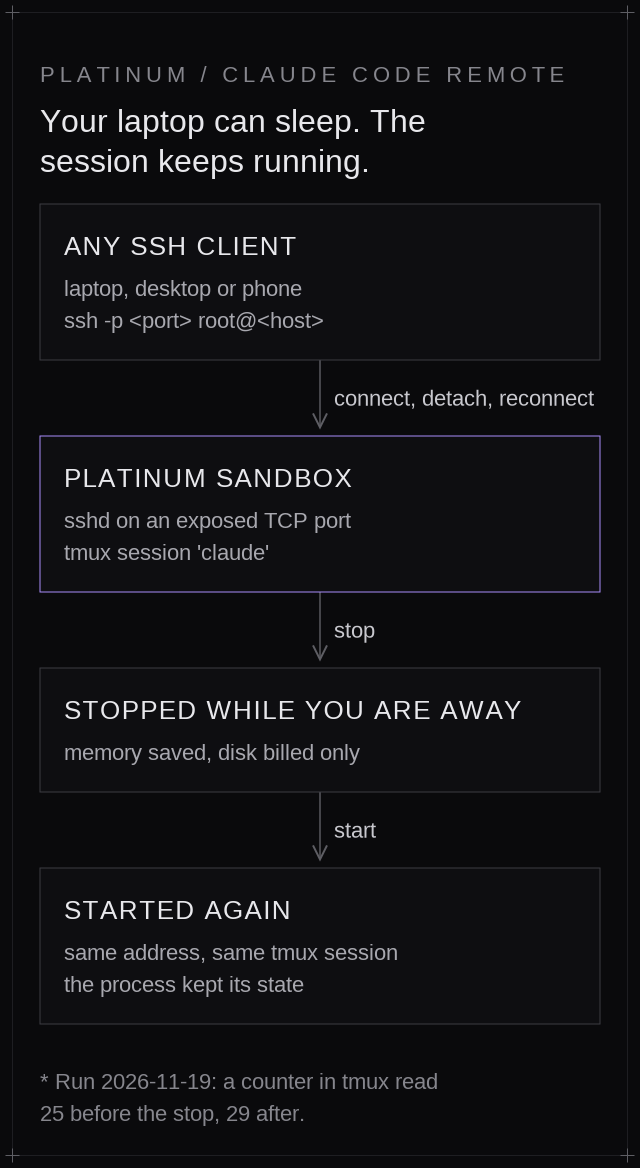
Running Claude Code remote means putting it on a machine that stays up when your laptop closes. A Platinum sandbox is that machine: SSH in from any client, start Claude Code in tmux, and disconnect. Stop the sandbox while you are away, and start it later with the same session still running.
Give the sandbox SSH#
Install SSH, tmux and Claude Code as a managed process, add your public key, run sshd, and expose port 22 as a raw TCP port:
SBX=$(pt sandbox create -t pt-base --name claude-remote --cpu 2 --ram 2048 --disk 10 -q)
pt api POST /v1/sandboxes/$SBX/processes -d '{"cmd": "sh -c \"apt-get update && apt-get install -y openssh-server tmux nodejs npm && npm install -g @anthropic-ai/claude-code > /root/install.log 2>&1\""}'
pt sandbox exec $SBX 'mkdir -p /root/.ssh /run/sshd'
pt sandbox cp ~/.ssh/id_ed25519.pub $SBX:/root/.ssh/authorized_keys
pt api POST /v1/sandboxes/$SBX/processes -d '{"cmd": "/usr/sbin/sshd -D -e"}'
pt sandbox expose $SBX 22 --tcp    # prints host:port
Login is by key only. For the Anthropic key itself, attach it as a secret so the sandbox never holds it.
Start Claude Code in tmux#
Connect with the printed host and port, then start Claude Code inside a tmux session:
ssh -p <port> root@<host>
tmux new -s claude
IS_SANDBOX=1 claude
Detach with Ctrl-b d and close the connection. Claude Code keeps working. Later, from a laptop, a desktop or a phone's SSH app, run the same ssh command and tmux attach -t claude.
Stop it while you are away#
A running sandbox bills CPU and RAM. Stop it when nothing needs to happen, and start it when you are back:
pt api POST "/v1/sandboxes/$SBX/stop?wait_for_state=stopped"    # "memory_saved": true
pt api POST "/v1/sandboxes/$SBX/start?wait_for_state=running"   # "restore": "memory"
We ran this with a counter in tmux in place of Claude Code, which is just another process:
| Step | What we saw |
|---|---|
| Disconnect and reconnect | The same tmux session; the counter at 25 |
| Stop, wait 30 s, start | memory_saved: true, then restore: "memory" |
| SSH again, same host and port | The same session; the counter at 29, then 31 |
A stopped sandbox bills disk only. When a start reports restore: "disk_only", files survived but processes did not: start sshd and Claude Code again. Stop and start lists when that happens.
When to use this instead of headless runs#
Use a remote session when you want to watch and steer Claude Code. For one task per sandbox with no terminal, run it headless as in Run Claude Code in a cloud sandbox.
Sources, checked November 2026: processes, networking, sandboxes. Run 2026-11-19 on Platinum's development environment with Claude Code 2.1.328.