Code execution
Code execution sandbox for AI agents: a developer guide
Choose a code execution sandbox for AI agents by its isolation boundary, what survives between calls, and what the code may reach, with a runnable SDK example.
A code execution sandbox runs the code your agent writes where it cannot touch your app, your keys or other users. Choose one by three things: the isolation boundary, what survives between calls, and what the code may reach. Startup speed comes after.
Keep the agent and the executor apart#
Your service holds the model keys and decides what runs. The sandbox gets the code, a time limit and resource caps. It returns the exit code, stdout, stderr and any files. Treat that output as untrusted input too.
Answer four questions before running anything:
| Question | Decide |
|---|---|
| Authority | Which files, hosts and credentials can the code reach? |
| Resources | How much CPU, memory, disk, time and output per call? |
| State | Does the next call reuse this sandbox, restore files, or start empty? |
| Ownership | Which user owns the sandbox, and who may reconnect to it? |
Bind each sandbox to the authenticated task in your own service. Never let the model choose a sandbox ID.
Choose the isolation boundary#
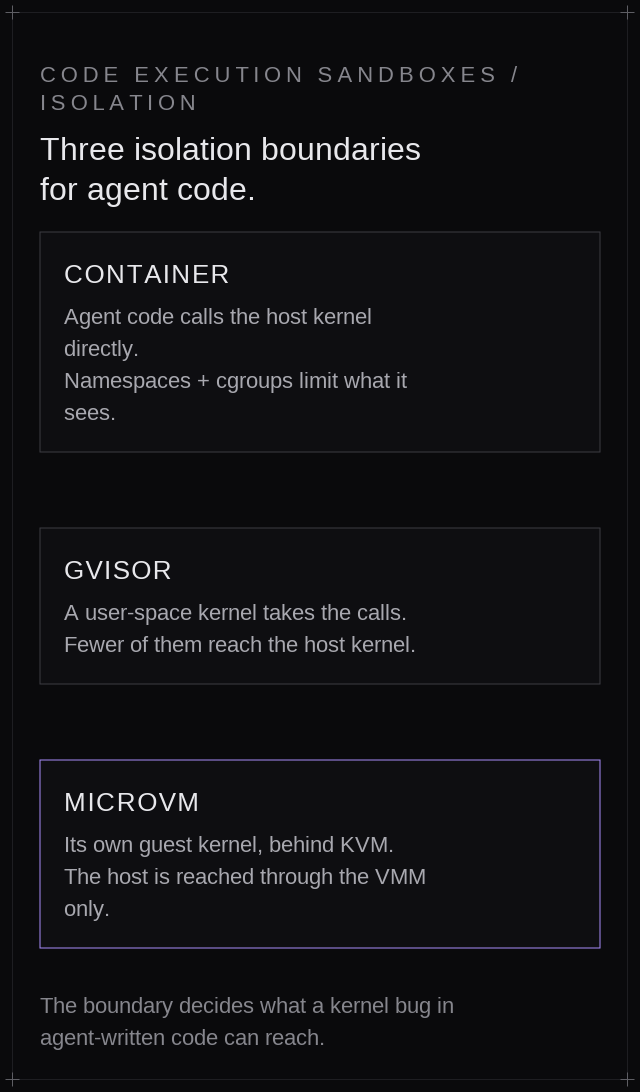
| Approach | Boundary | Test for |
|---|---|---|
| Linux container | Namespaces and cgroups on the shared host kernel | Kernel exposure. Never mount the Docker socket. |
| gVisor | A user-space kernel answers the code's system calls | Compatibility and syscall-heavy workloads |
| MicroVM | A separate guest kernel behind hardware virtualization | Guest images and VM lifecycle |
None of them replaces credential scoping or network policy. Sources: Docker security, gVisor, Firecracker. Each Platinum sandbox is its own microVM.
Know what survives#
"Persistent" is not a specification. On Platinum:
| Operation | What survives |
|---|---|
| Stop, then start with memory restored | Memory, processes and disk |
| Stop, then start disk-only | Files only |
| Fork or clone | The disk, in a new sandbox that boots fresh |
Check memory_saved on stop and restore on start (details). A fork does not undo an email or API call already sent, so give speculative branches narrow authority.
Run agent code with the SDK#
You need Node 18 or later and an API key from the quickstart in PT_TOKEN. This creates billable compute.
npm install @platinum-dev/sdkSave this as run-agent-code.mjs:
import { Platinum } from "@platinum-dev/sdk";

if (!process.env.PT_TOKEN) throw new Error("Set PT_TOKEN server-side");
const client = new Platinum({
  url: "https://api.platinum.dev",
  token: process.env.PT_TOKEN,
});

const agentWrittenCode = "print(sum([17, 23, 41]))";
const sbx = await client.sandboxes.create(
  { template: "pt-base", auto_stop_minutes: 5 },
  { waitForRunning: true },
);
try {
  const result = await sbx.runCode(agentWrittenCode, {
    lang: "python",
    timeoutMs: 10_000,
  });
  result.check();
  process.stdout.write(result.stdout);
} finally {
  await sbx.delete();
}
node run-agent-code.mjs should print 81. The finally deletes the sandbox even when the code fails. Auto-stop is only a backstop, and a stopped sandbox keeps its disk. The timeout does not restrict the network: set network policy before running untrusted code.
Pick by workload#
- Container: you control the code and already harden containers.
- gVisor: you want a syscall boundary, and your dependencies pass testing.
- MicroVM: you need a separate kernel for every run.
Before rollout, test a timeout, an out-of-memory kill, a disk-only restart and a failed cleanup. To compare providers, see agent sandboxes compared and the E2B, Daytona and Modal pages.