Reinforcement learning
A sandbox for reinforcement learning, cloned per rollout
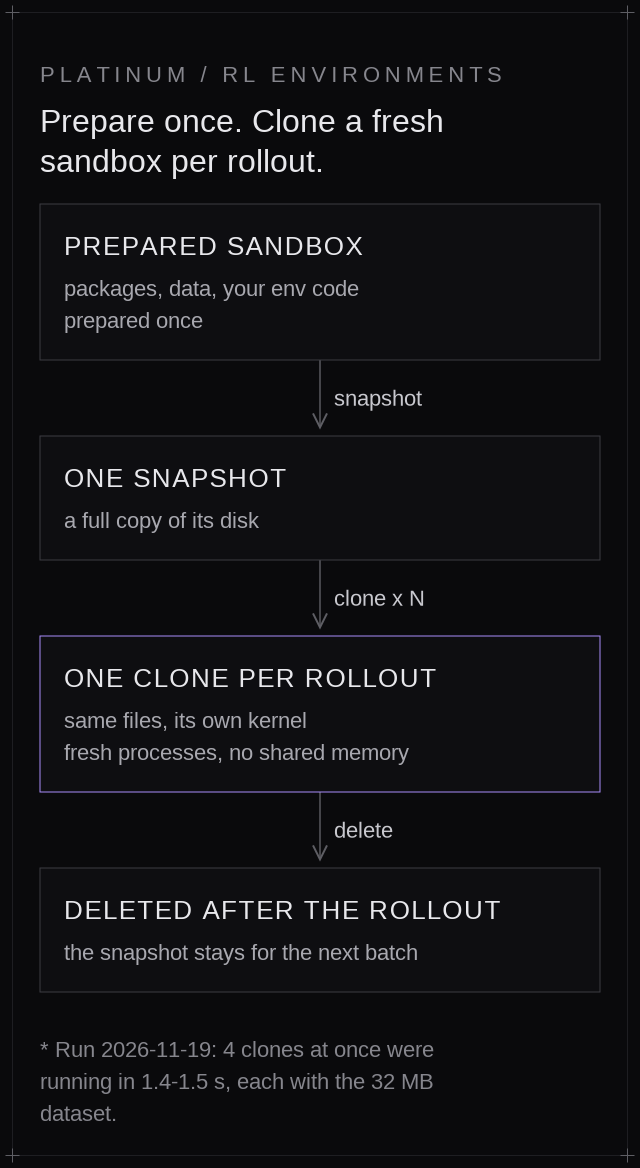
Prepare an RL environment in one Platinum sandbox, snapshot it, and give every rollout a fresh clone with the same files, its own kernel and no shared memory.
A sandbox for reinforcement learning has to give every rollout the same starting state and keep rollouts from touching each other. On Platinum, prepare the environment once, take one snapshot, and clone a fresh sandbox for each rollout. Every clone starts from the same disk, boots its own kernel, and shares no memory with the others.
Prepare the environment once#
Install the packages, write the data and the environment code into one sandbox, the way you would on a machine:
SBX=$(pt sandbox create -t pt-base --cpu 1 --ram 1024 -q)
pt sandbox cp setup.sh $SBX:/root/setup.sh
pt api POST /v1/sandboxes/$SBX/processes -d '{"cmd": "sh /root/setup.sh"}'
Our setup.sh installed gymnasium and numpy and saved a 32 MB seed dataset. Anything a rollout must not change belongs here, before the snapshot.
Clone a sandbox per rollout#
Snapshot the prepared sandbox once, then clone from that snapshot as many times as you have rollouts:
pt api POST /v1/sandboxes/$SBX/snapshot           # returns snap_…
pt sandbox clone $SBX --snapshot snap_…           # once per rollout
A clone is a new sandbox: run the rollout in it with exec or a managed process, collect the result, delete it. The prepared sandbox and its snapshot stay untouched for the next batch.
What one batch looked like#
We cloned the snapshot four times at once:
| Measured per clone | Result |
|---|---|
Clone call to running | 1.37 to 1.49 s |
First command, importing gymnasium | 0.62 to 0.70 s |
| Files present | The seed dataset (32,000,128 bytes) and gymnasium 1.4.0 |
| Processes at first command | About 63: a fresh boot, nothing carried over |
Snapshot once, or fork each time#
fork takes a snapshot and clones it in one call. Use it to branch a sandbox you are working in. For many rollouts from one state, snapshot once and clone, so every rollout starts from the same copy.
Every clone is a whole sandbox with CPU and RAM of its own, so your capacity, not the API, sets how wide a batch can go. A snapshot is a full disk copy and stays until you delete it. See Clone or fork a sandbox.
Sources, checked November 2026: snapshots, processes. Run 2026-11-19 on Platinum's development environment, 1 vCPU and 1 GiB per sandbox.