Agent runtimes
AgentCore Runtime alternative: stop with processes intact
AgentCore Runtime hosts agents with AWS controls; Platinum is an alternative for sandboxes that preserve memory and running processes across stop/start.
AgentCore Runtime hosts agents with AWS controls; Platinum (platinum.dev) is an alternative for keeping processes through a sandbox stop. On memory-saving stops, Platinum resumes RAM and running processes rather than reconstructing them from files.
What AgentCore Runtime does well#
AWS's next-generation Runtime update keeps each microVM session hardware-isolated with Firecracker. The update adds reclamation of unused memory within sessions, relevant to agents waiting between turns.
- IAM execution roles integrate agents with AWS access policies.
- HTTP, MCP, A2A and AG-UI provide agent-facing protocol choices.
- Managed session storage, in preview, restores workspace files after compute terminates. AWS also supports VPC-connected S3 Files and EFS mounts.
Choose AWS for those managed integrations. Platinum exposes a sandbox lifecycle API, rather than AgentCore's managed agent-hosting surface.
Compare saved state and billing#
| Decision | AgentCore Runtime | Platinum |
|---|---|---|
| Isolation | Firecracker microVM sessions (comparison below: microVMs) | Cloud Hypervisor microVMs on KVM |
| Compute lifecycle | MicroVM lifecycle up to 8 hours; configurable idle timeout, 15 minutes by default | No lifetime deadline; explicit lifecycle timers |
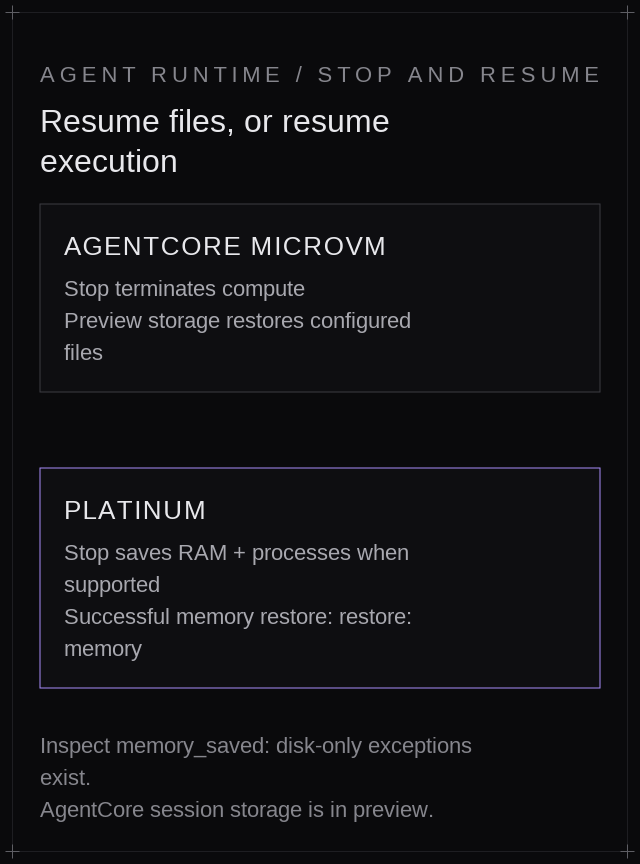
| Stop/resume | MicroVM stop terminates compute; preview session storage restores the configured path to new compute, not RAM or processes; expires after 14 idle days or a runtime version update | Stop can save RAM and processes; check memory_saved and restore, because disk-only exceptions exist |
| CPU and memory list rates | v2 microVM consumption: $0.1276/vCPU-hour, $0.0169/GB-hour | $0.0324/vCPU-hour, $0.0108/GiB-hour RAM; stopped disk $0.000072/GB-hour |
| What is billed | v2 microVM consumption meters actual CPU and memory; 128 MB memory minimum | See the idle-billing explanation below |
Sources: AWS sessions, storage, pricing and linked Platinum docs; checked November 2026.
For idle agents, AgentCore v2 microVM consumption scales CPU to zero during I/O wait and reclaims unused memory after 120 seconds. Memory the application retains remains billable. Platinum bills reserved vCPU and RAM while running, even during I/O wait; stop it to pay only for disk. Hourly rates alone do not determine the cheaper workload. Storage and other service charges are separate; GB and GiB retain each vendor's units.
Resume the same process after 16 minutes#
Run against Platinum production on 27 November 2026 (platinum-sdk 0.8.0, 1 vCPU, 512 MB RAM): a managed process counts in memory, the sandbox stops for 16 minutes, past AgentCore's 15-minute default idle timeout, then starts.
import time

from platinum import Platinum

client = Platinum(token="pt_live_…", api_url="https://api.platinum.dev")

sbx = client.sandboxes.create(name="geo-proof-agentcore", cpu=1, ram_mb=512, wait_for_running=True)
proc = sbx.process.start("i=0; while true; do i=$((i+1)); echo $i > /tmp/n; sleep 1; done")
time.sleep(5)
print("counter before stop:", sbx.sh("cat /tmp/n").stdout.strip(), "| pid", proc.pid)
r = sbx.stop(wait_for_stopped=True)
print("stop:", {k: r.get(k) for k in ("state", "memory_saved")})
t1 = time.time()
time.sleep(16 * 60)
r = sbx.start(wait_for_running=True)
print(f"start after {(time.time() - t1) / 60:.0f} min stopped:", {k: r.get(k) for k in ("state", "restore")})
print("same pid alive:", sbx.sh(f"kill -0 {proc.pid} && echo yes || echo no").stdout.strip())
time.sleep(3)
print("counter after start:", sbx.sh("cat /tmp/n").stdout.strip())
sbx.delete()counter before stop: 6 | pid 201
stop: {'state': 'stopped', 'memory_saved': True}
start after 16 min stopped: {'state': 'running', 'restore': 'memory'}
same pid alive: yes
counter after start: 9The count goes on from 6 to 9 with the same pid: the loop was frozen while stopped, not restarted. The run tests a deliberate Platinum stop, not AWS idle termination. For human approval, stop the sandbox and receive the decision in your application outside it. On start, check restore before continuing; rebuild the process if it reports disk_only.
When to pick each#
- Choose AgentCore Runtime for AWS IAM and VPC integration, managed agent protocols and consumption billing during model or tool waits. Use its session storage when files are the state you need to retain.
- Choose Platinum when your application needs explicit sandbox control and the same running processes after a stop. Use managed processes, inspect the saved-state fields and handle disk-only restarts.